CONFIGURATION PERSONNELLE / XMIGUEHHH
LIVE FOR SPEED
Voici ma configuration de Live for Speed à la manette. Je joue avec une FLYDIGI Vader 5 Pro.
01 / MADUMEYE
Commandes
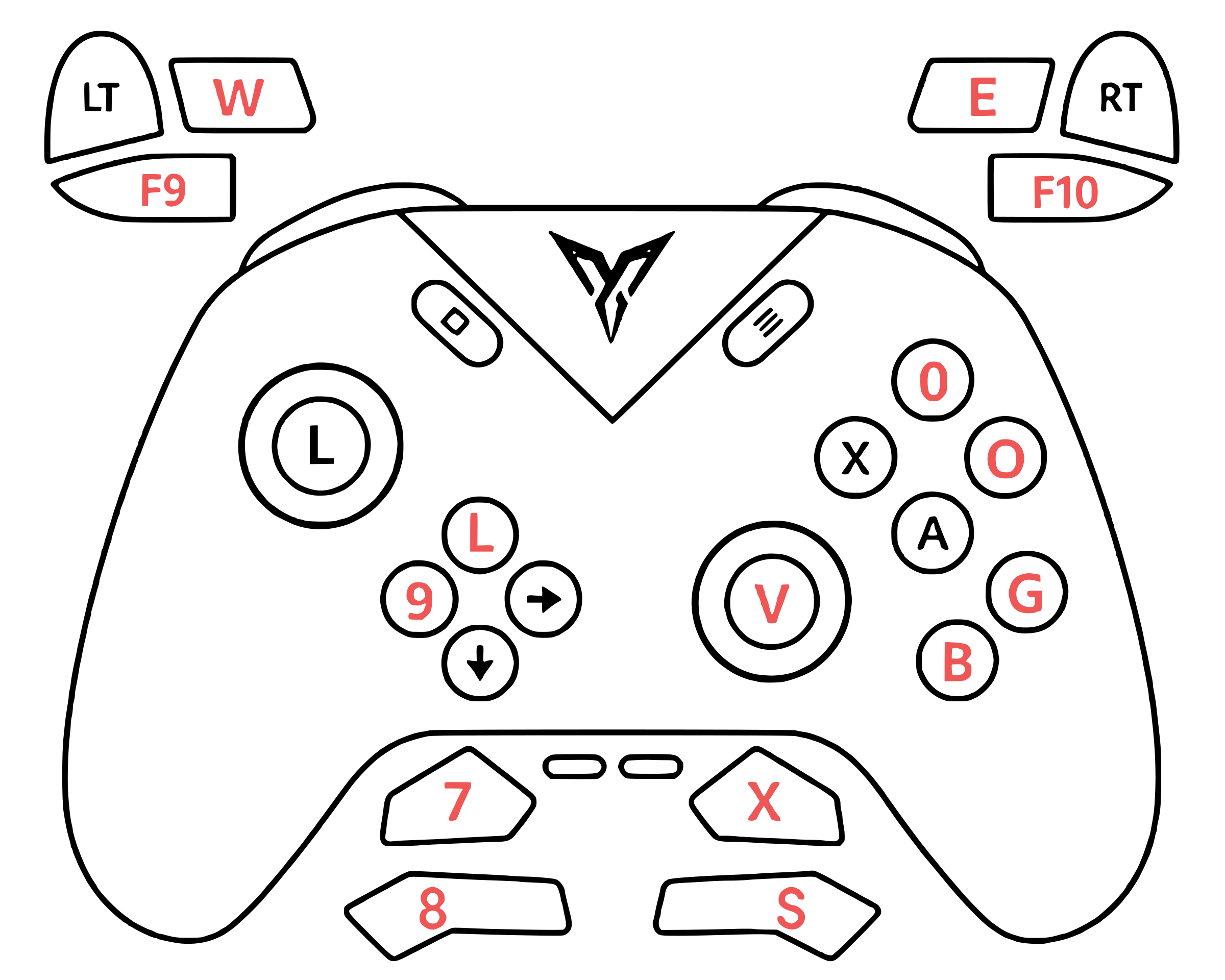
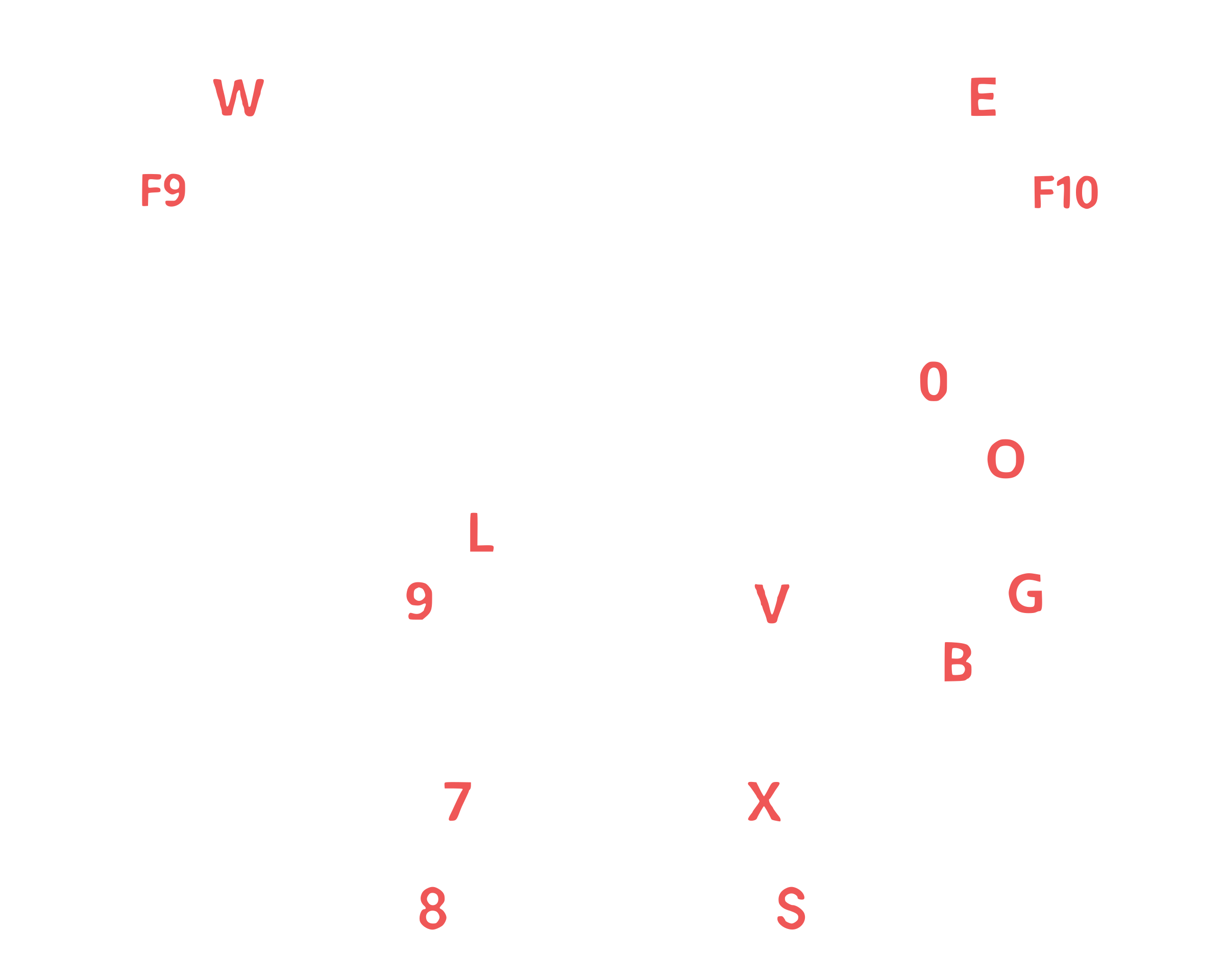
Voici comment j’ai assigné les boutons de la manette pour LFS.
02 / MADUMEYE
Mes réglages en jeu
Voici mes réglages dans Live for Speed, tels qu’ils apparaissent dans le jeu (en anglais). L’option mise en évidence est celle que j’ai activée.
Dans « View » et « Controls », tout compte, du début à la fin : les voici au complet.
DRIVER VIEW
Default driver view
in carcustom (selected)
Settings for custom view
4C43C2
Field of view
125°
Resulting field of view
125.0° (62.5° – 62.5°)
Screen offset lateral
0.000
Screen offset vertical
0.000
Multiple screen layout
0 | 1 | 0
One button look
60°
View lock
carfilterhorizon (selected)
Horizon lock strength
83%
Pitch view
-18.78°
Rotate view
0.00°
X offset
0.000 m
Y offset
-0.019 m
Z offset
-0.119 m
DRAW
Draw
nonewheelsbody (selected)
Draw driver / wheel
[driver ON wheel ON]
Mirror mode
offreal (selected)virtual
Clocks mode
offreal (selected)virtualall
LOOK
Look function
steer
Look sensitivity
1.00
Button look
smooth (selected)instant
ACCELERATION
Acceleration shifts viewpoint
no (selected)yes
1g head tilt
0.00° [off]
1g lateral shift
0.000 m [off]
1g forward shift
0.000 m [off]
1g vertical shift
0.000 m [off]
Dans « View » et « Controls », tout compte, du début à la fin : les voici au complet.
CONTROLLERS
Controllers detected
3
1
Controller (Flydigi Vader 5 Pro) · Gamepad
2
Controller (Flydigi Vader 5 Pro) · Unknown controller
3
Controller (Flydigi Vader 5 Pro) · Unknown controller
WHEEL / JOYSTICK
Wheel turn
1080°
Wheel turn compensation
0.00
Force strength
99
Throttle / brake axes
combined (selected)separatebuttons
Gear shift mode
autosequential (selected)shifter
Clutch
axis (selected)button
Handbrake
axis (selected)button
Thr / brk centre reduction
0.00
Input when window is inactive
[on]
Steering style
[rigid]
AXES
Steer
axis 1invert 00% – 100%
Thr / Brk Combined
axis 3invert 15% – 95%
Look Heading
—invert 00% – 100%
Look Pitch
—invert 00% – 100%
Look Roll
—invert 00% – 100%
Clutch
axis 4invert 055% – 95%
Handbrake
axis 5invert 155% – 95%
FORCE FEEDBACK
Force feedback
noyes (selected)
Enable steering wheel bump stops
no (selected)yes
FF Steps
1000
FF Rate
1000 Hz
Remove deadzones
no (selected)yes
Dans « Misc », seul « Analogue steer smooth » compte : je l’ai au maximum, 0.95. Cela ajoute un délai au braquage, pour que la direction ne soit pas instantanée. Oui, je conduis comme ça.
FRAME RATE
Full screen vertical sync
[no]
Limit in-game frame rate
[yes]
Maximum frame rate
300 fps
Sleep every frame
[no]
Maximum buffered frames
1
Sound lag
0.04 sec
AI
AI use player setup
[no]
AI use player colours
[no]
CONTROLS
Gearshift debounce
10 ms
Analogue steer smooth
0.95
SKINS
Car skins download
off512 (selected)1024
Helmet skins download
off256 (selected)512
Download skins for replays
neveraskalways (selected)
MULTIPLAYER
Multiplayer speedup option
[no]
Dynamic LOD reduction
0.50
TEMP Multiplayer physics CPU
80%
OTHER
Load track when starting
[no]
Local time in 12 hour format
[yes]
Frame rate / time display
time of day (selected)frame timeframe rate
Show flags in SHIFT + F mode
[no]
Allow regional downloads
[yes]
Screenshot format (CTRL + S)
bmpjpg (selected)pngtifgif
Display LFS logo in-game
[no]
D3D feature level
10_010_111_0 (selected)
Aucun résultat.